


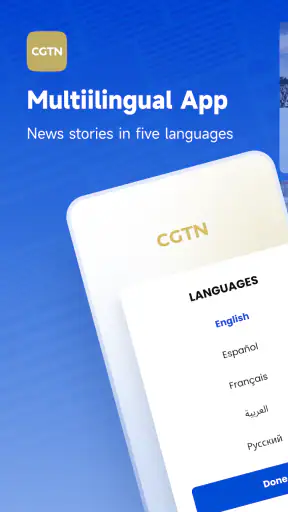
I spent time with CGTN as a mobile news and magazine app, and my first impression was that it works best when I treat it as a focused way to follow international coverage rather than as my only source of news. The app comes from CGTN, the China Global TV Network, and its purpose is clear: bring its reporting and video-led presentation to a phone in a format that is easier to check throughout the day.
That distinction matters. I would recommend it to someone who wants a direct look at CGTN’s perspective, especially when international affairs, China-related stories, business, technology, culture, or video reports are part of their regular reading. I would not recommend relying on it alone if you want a broad mix of publishers or a fully neutral-feeling news dashboard. For that, an aggregator or a newspaper app with several editorial viewpoints is a better companion.
How I use CGTN during an ordinary day
My most useful routine starts with a quick scan rather than an attempt to read everything. I open the app when I have a few minutes, look over the leading stories, and choose one or two items that match what I actually want to understand. That keeps the experience manageable and avoids the common problem of turning a news app into an endless stream of headlines.
The strongest everyday scenario is a commute or a short break between tasks. I can check the latest international developments, open a report that catches my attention, and return later when I have more time. The app is particularly comfortable for people who prefer a mixture of written articles and video instead of a page made entirely of text.
I found it helpful to decide in advance what I am checking for. On one visit, I might be looking for a quick overview of world events. On another, I may want coverage connected with China, regional affairs, or a feature with more context. This small habit makes the app feel less noisy and gives each session a purpose.
CGTN is free, which removes the usual barrier to trying it alongside another news source. Its content rating is Everyone, so it is positioned as a general-audience news app rather than a service designed for a narrow age group. I still think younger readers benefit from discussing difficult news topics with an adult, because an age label cannot replace context or media literacy.
The app has been available since October 29, 2014, and its current version is 6.6.5. It requires Android 8.0 or later. Those details make it a practical option for many Android users, although anyone with an older phone should check compatibility before planning to use it as a main news tool.
What the presentation does well
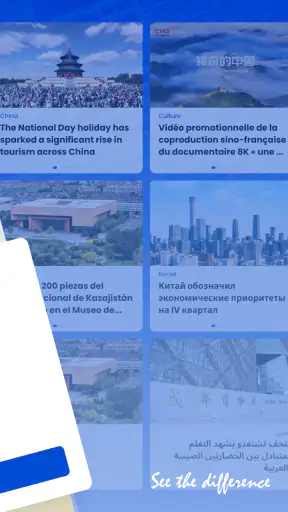
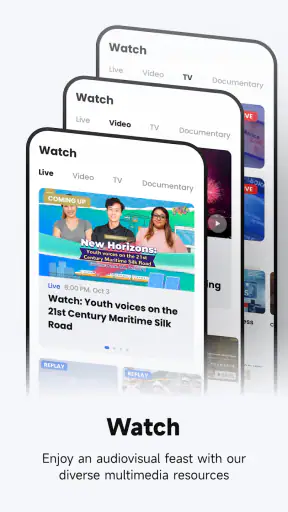
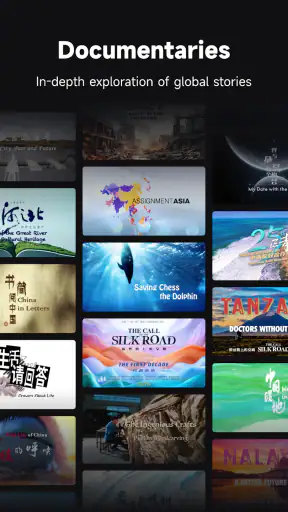
CGTN’s main advantage is the combination of news reporting and broadcast-style material. A written article can be useful when I need to skim details, while a video report can help me understand the visual side of a developing story. That mix gives the app a different rhythm from a traditional newspaper application.
I also appreciate that the experience feels tied to one recognizable editorial voice. That can be a strength when I want to follow how CGTN frames a subject over time. Instead of jumping between unrelated publishers, I can see the network’s coverage in one place and then compare it with outside reporting when the topic deserves a wider view.
Its popularity is also easy to understand: the app has passed ten million installs and holds an average rating of 4.3 from around twenty-eight thousand ratings. Those figures suggest a substantial audience, but they do not tell me whether the editorial approach will suit every reader. In news, personal expectations about viewpoint, depth, and story selection matter as much as popularity.
The store summary, “CGTN: See the difference,” points toward the app’s identity, but the real question is whether that difference is useful to me. I think it is when I want a specific international perspective. It is less useful when I want an app to quietly assemble the broadest possible selection of sources without asking me to think about editorial framing.
Settings and habits worth checking first
My first practical suggestion is to spend a few minutes learning how the app presents its sections, stories, and media before settling into a routine. News apps often feel slower when I repeatedly search for the same type of content, so I pay attention to the areas I naturally return to and use those as my starting points.
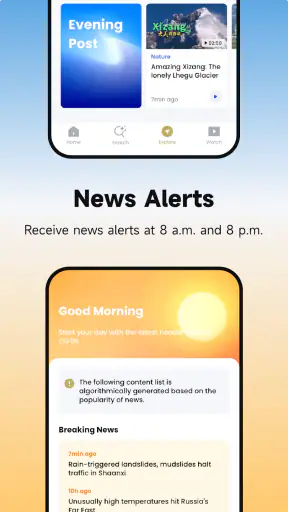
I also make a deliberate choice about notifications. If alerts are helpful for my schedule, I keep only the level of interruption I can realistically handle. If every update breaks concentration, I prefer opening the app at set times instead. The important point is not to let the app decide my entire news rhythm by default.
Another useful adjustment is deciding how I handle video. I avoid opening a video report when I only have a few seconds, because a headline scan and a full report serve different purposes. When I have time, I watch with the sound on and treat the report as a starting point for further reading rather than assuming that one clip answers every important question.
For readers with limited mobile data, the sensible workflow is equally simple: use heavier media when connected to Wi-Fi and rely on shorter reading sessions when away from it. I do not assume that every story should be consumed in the richest format. Sometimes reading a concise report is the better choice for battery, data, and attention.
I would also check the app after installation rather than judging it entirely from the first screen. The most useful setup is personal: I want quick access to the subjects I care about, fewer distractions during work, and a clear distinction between a quick update and a story that deserves deeper attention.
Faster patterns for regular readers
Experienced use is less about a secret button and more about repetition. I use a three-pass pattern: scan the main headlines, select one story for detail, then leave the app and compare the important claim with another reputable source. This prevents a quick visit from becoming passive acceptance of a single presentation.
When I return to the same subject, I avoid reading every related item immediately. I first identify what has changed since my last visit. That saves time and helps separate genuinely new information from several articles describing the same development in slightly different ways.
A second pattern is to separate “now” reading from “understanding” reading. Breaking news may be useful as an initial signal, but I do not treat an early headline as a complete account. Later, when I have more time, I look for the article or video that adds background, names the relevant players, or explains why the event matters.
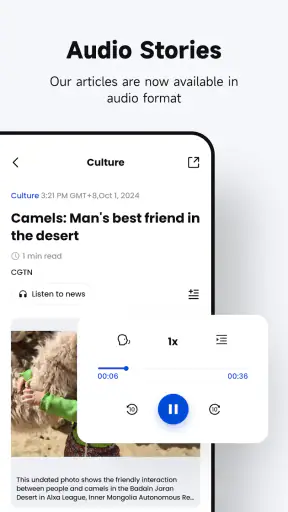
The app is also more useful when I give its video a specific role. I use video for scenes, interviews, demonstrations, and the feel of an event. I use text when I need to revisit a point, compare wording, or move through information at my own pace. Switching formats intentionally is faster than expecting one format to do everything.
For a busy reader, I would set a small daily limit. A short morning scan, one deliberate check later, and a final review if necessary is enough for many people. This is especially helpful with international news, where constant checking can create the impression that understanding requires being online all day.
Where CGTN fits against other news choices
Compared with a general news aggregator, CGTN offers a more coherent editorial experience but less variety of publisher voices. An aggregator is better when I want to see many outlets covering the same event, spot differences in headlines, or discover local reporting from sources I would not otherwise find.
Compared with a newspaper app, CGTN feels more international and broadcast-oriented. A newspaper may be stronger for long investigations, local accountability reporting, or a publication’s specialist sections. CGTN is more appealing when I want a combination of global headlines, network-produced reports, and a consistent perspective.
Compared with watching a live news channel, the app is more flexible because I can choose individual stories instead of following a fixed schedule. The trade-off is that a mobile feed can encourage quick consumption. I need to create my own structure if I want a calm, informed session rather than a sequence of disconnected updates.
That editorial viewpoint deserves attention. I do not see it as a reason to dismiss the app, but I do see it as a reason to read actively. When a story concerns politics, international conflict, or a disputed event, I compare the framing with other established sources. This is not extra work specific to one article; it is a sensible habit for any single-network news service.
Limits that become clearer with advanced use
The biggest limitation for me is not basic usability but scope. CGTN is strongest when I want CGTN’s coverage. It is not a replacement for a multi-source research workflow, and I would not use it by itself for decisions that depend on a complete range of reporting.
There is also a difference between being informed and feeling updated. The app can make it easy to move from one headline to another, but that does not guarantee depth. I get more value when I stop after a meaningful story, read carefully, and note what remains uncertain instead of treating the feed as a checklist.
Video can be an advantage, but it can also slow down a quick session. If I am checking news between appointments, a written report is usually more efficient. If I want atmosphere or visual explanation, video becomes worthwhile. The best format depends on the question I am asking, not simply on which card appears first.
Readers who want a highly personalized feed built from many interests may find the experience less suitable than a dedicated aggregator. Likewise, someone who wants only local news may not find an international network app sufficiently focused. CGTN makes more sense for people who value its global orientation and are comfortable adding other sources when they need broader coverage.
I also would not install it expecting a social discussion space to replace reporting. My use is centered on consuming and comparing coverage, not on treating the app as a community forum. That keeps my expectations realistic and makes the service easier to evaluate on what it is designed to provide.
Who should install it, and who should skip it
I think CGTN is a good fit for an Android reader who wants a free international news app, enjoys a blend of articles and video, and is interested in following the China Global TV Network’s editorial perspective. It is also useful for students, travelers, and globally minded readers who want a convenient way to check events beyond their immediate region.
I would suggest it to a friend who already reads several sources and wants another viewpoint. In that role, it adds value without carrying the impossible burden of being the only app needed for every subject. Its large install base and solid 4.3 average show that many people find the format worthwhile, while the app’s general availability makes experimentation easy.
I would skip it if my only requirement were local reporting, deep specialist journalism, or automatic comparison between many publishers. A local newspaper app, a specialist publication, or a multi-source aggregator would be more efficient in those cases. I would also skip making it my sole news habit if I am not willing to compare perspectives on major or controversial stories.
My verdict after building a repeatable routine
CGTN works best when I use it intentionally: scan for the subjects that matter, choose the right format for the time available, manage interruptions, and compare important stories with other reporting. That workflow turns it from a headline dispenser into a useful part of a broader news routine.
The app’s free price, Everyone rating, long availability, and support for Android 8.0 or later make it easy to try. Its current version, 6.6.5, gives Android users a straightforward way to access CGTN’s news and magazine-style coverage on a phone. I value the combination of written stories and video, but I remain aware that a single network cannot represent every angle.
My recommendation is positive, with one condition: use CGTN as a perspective-rich source, not as your entire information diet. If that matches what you want, it is a practical and polished addition to a news folder. If you need maximum source diversity or highly local coverage, choose a different primary app and keep CGTN only as a supplementary view.


